Demo

Watch LuminaTouch in action.

The fastest way to understand LuminaTouch is to see the room experience. This demo page shows how a clinic-controlled touchscreen can support patient education, provider explanation, documents, AI-ready tools, and admin-managed content.

Product video

Use 3D anatomy, guided visuals, and product screenshots to show how LuminaTouch supports patient education, provider explanation, and consultation-room workflows.

Visual education in the room LuminaTouch helps teams bring anatomy, pathology, patient education, documents, provider tools, and room workflows into one configurable touchscreen experience. LuminaTouch is designed to support high-quality 3D anatomy, pathology, animation, and video content from clinical visualization partners.

Product screenshots

Use these screens to see how LuminaTouch spans patient education, provider support, room workflows, and clinic administration.
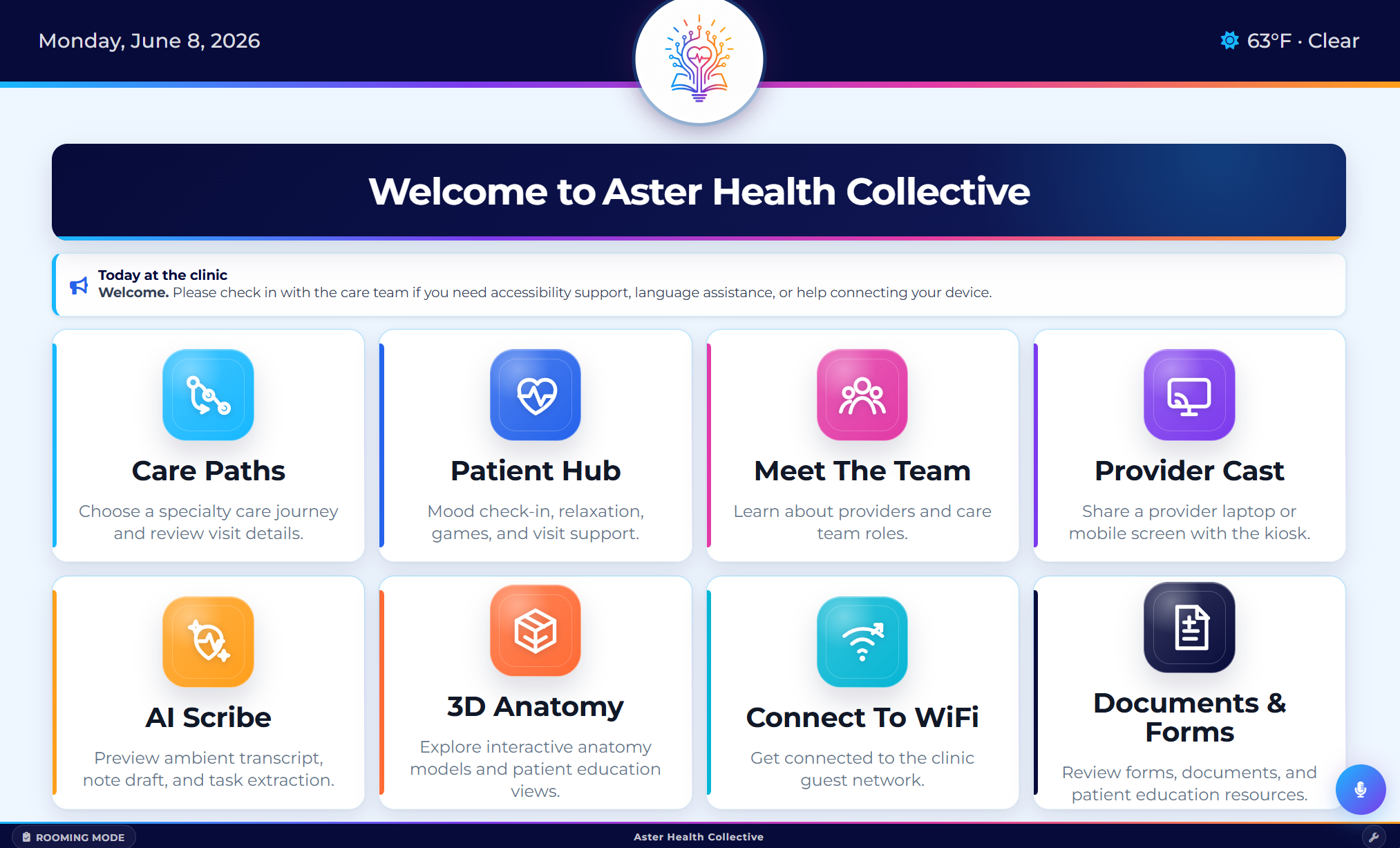
LuminaTouch home screen with care paths, patient hub, provider cast, AI tools, documents, and 3D anatomy modules
Exam room home screen A clinic-branded room hub for the patient, provider, and staff moments that happen around the visit.
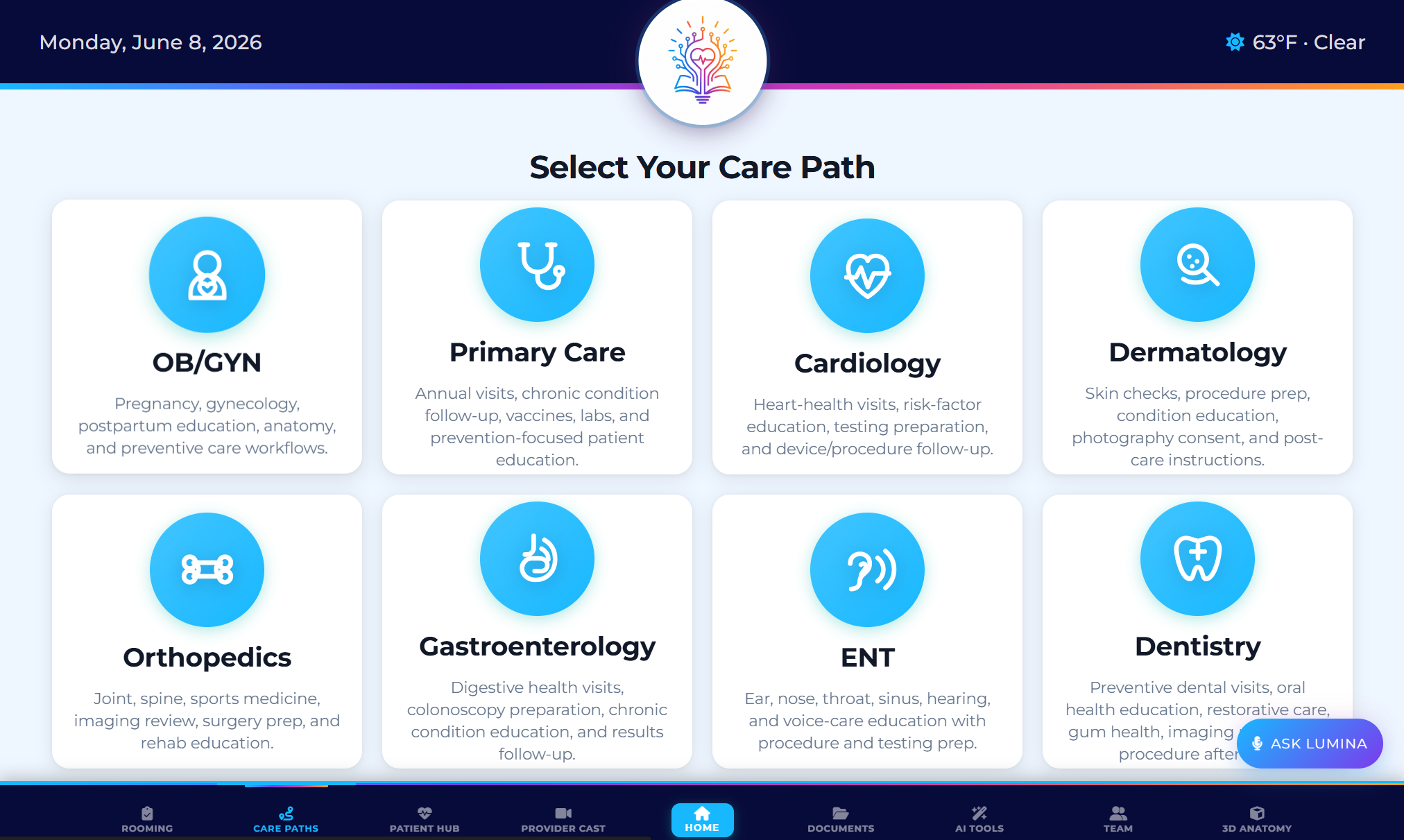
LuminaTouch specialty care path selection screen
Specialty care paths Let teams tailor education and workflow support by specialty, procedure, room, or visit type.
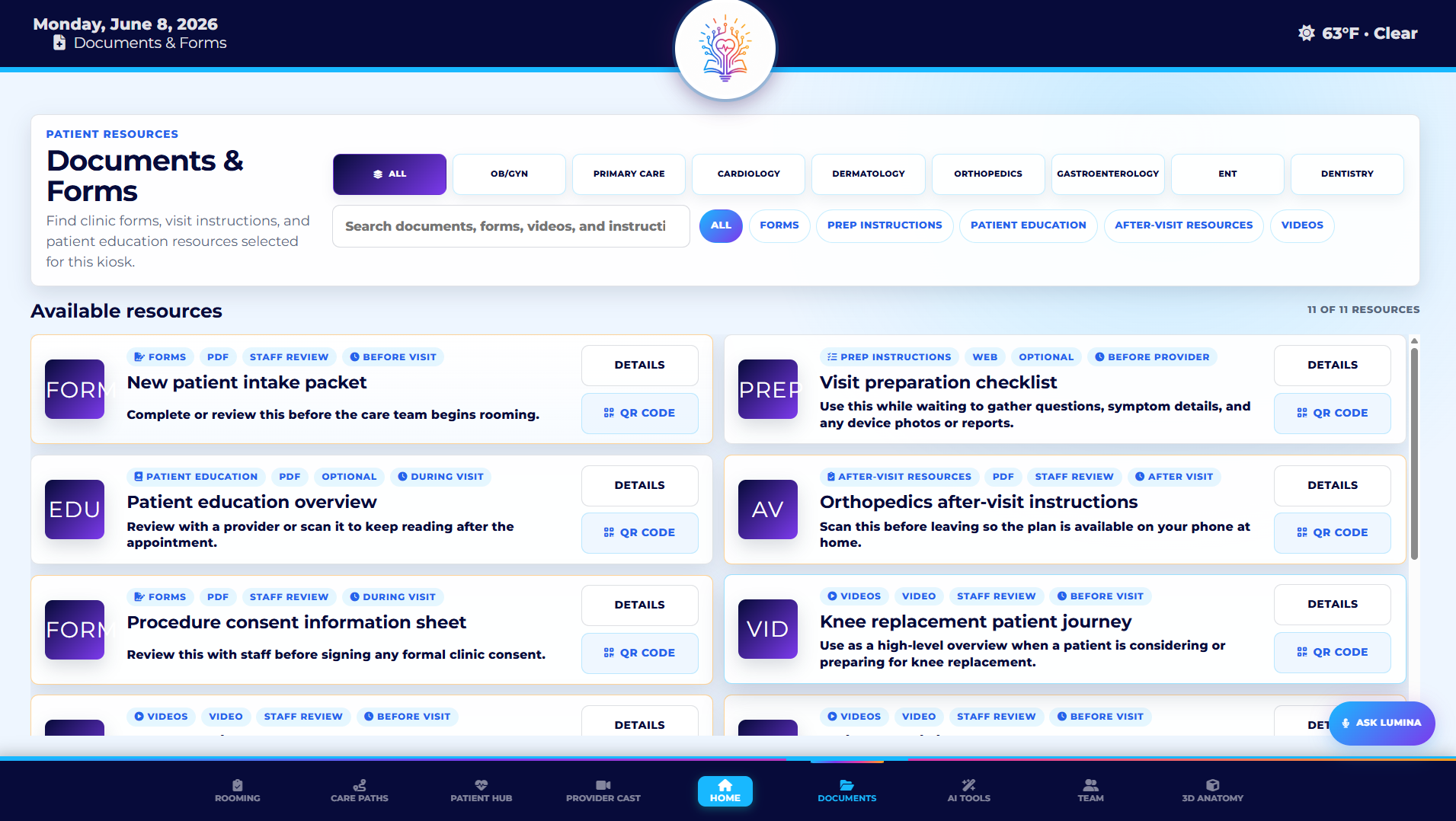
LuminaTouch documents and forms screen with specialty filters and QR code actions
Documents and forms Surface forms, prep instructions, patient education, videos, and QR handoffs inside the room.
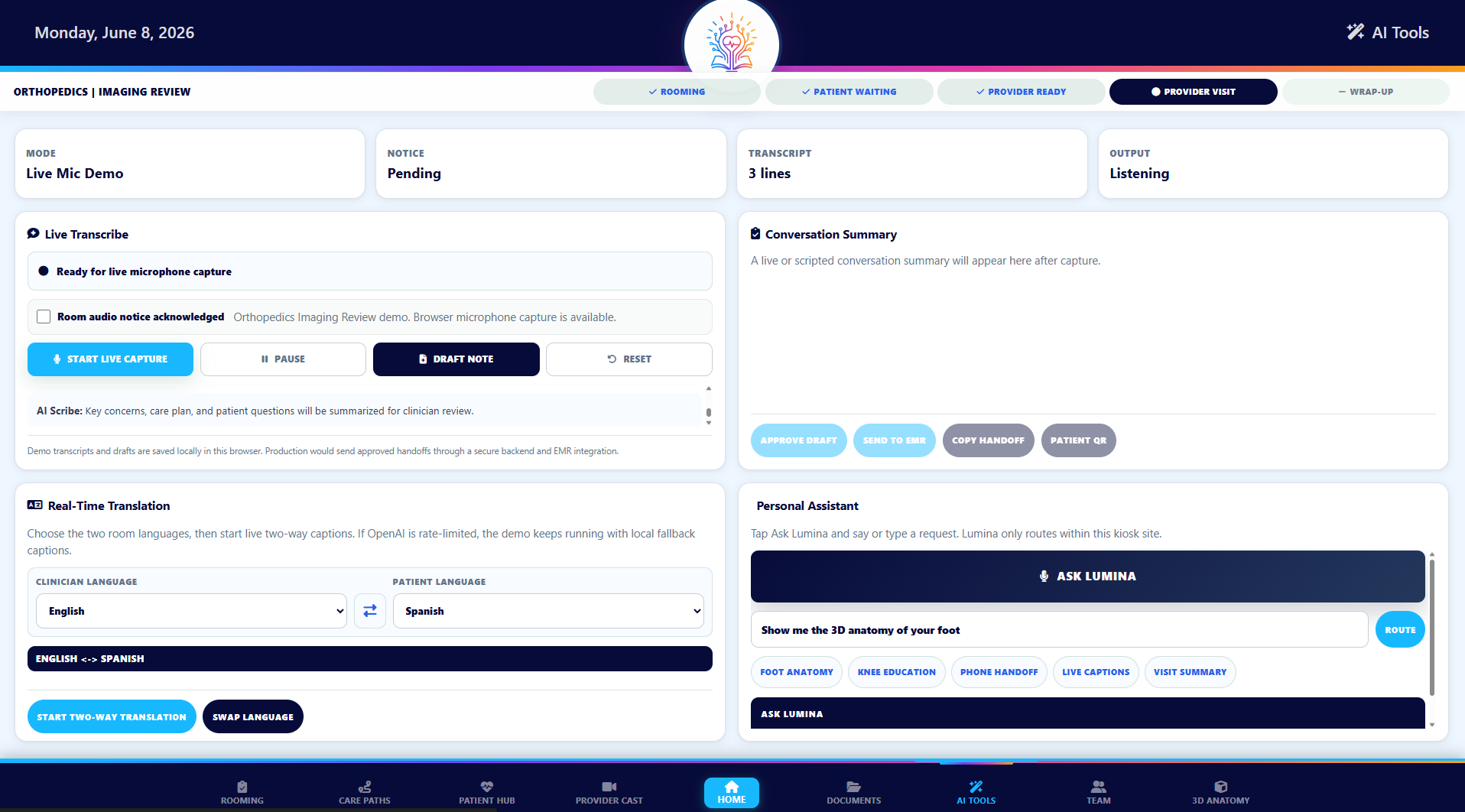
LuminaTouch AI tools screen with live transcription, translation, and assistant modules
AI-ready room tools Preview ambient transcript, draft-note, translation, and room assistant workflows without positioning LuminaTouch as an EHR replacement.
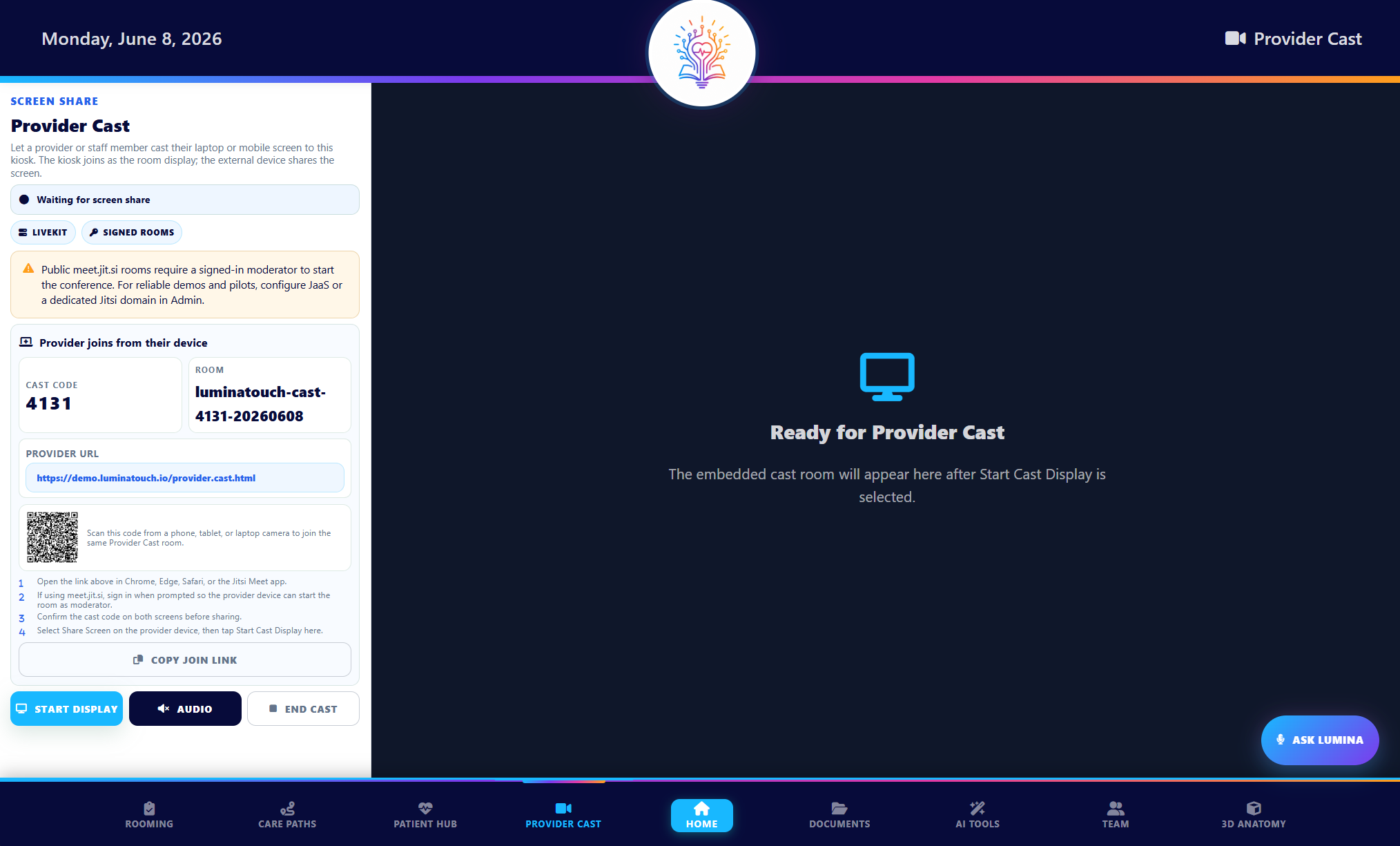
LuminaTouch provider cast screen with room code, provider URL, QR code, and screen sharing controls
Provider cast Give clinicians a room-ready way to share a laptop or mobile screen during the care conversation.
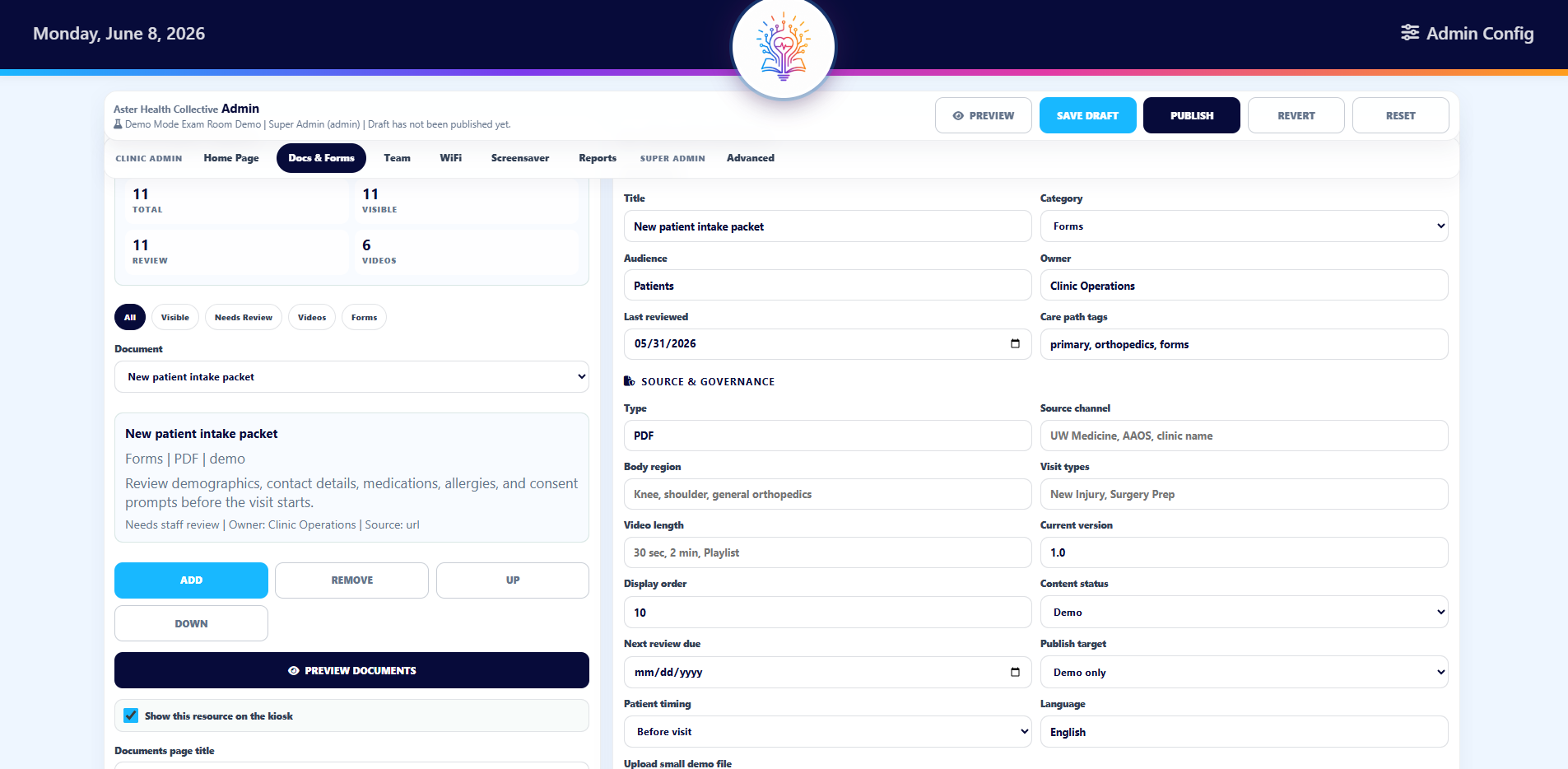
LuminaTouch admin configuration screen for managing content, review status, and publish controls
Admin configuration Manage approved content, publish states, documents, and room configuration across a clinic-owned experience.
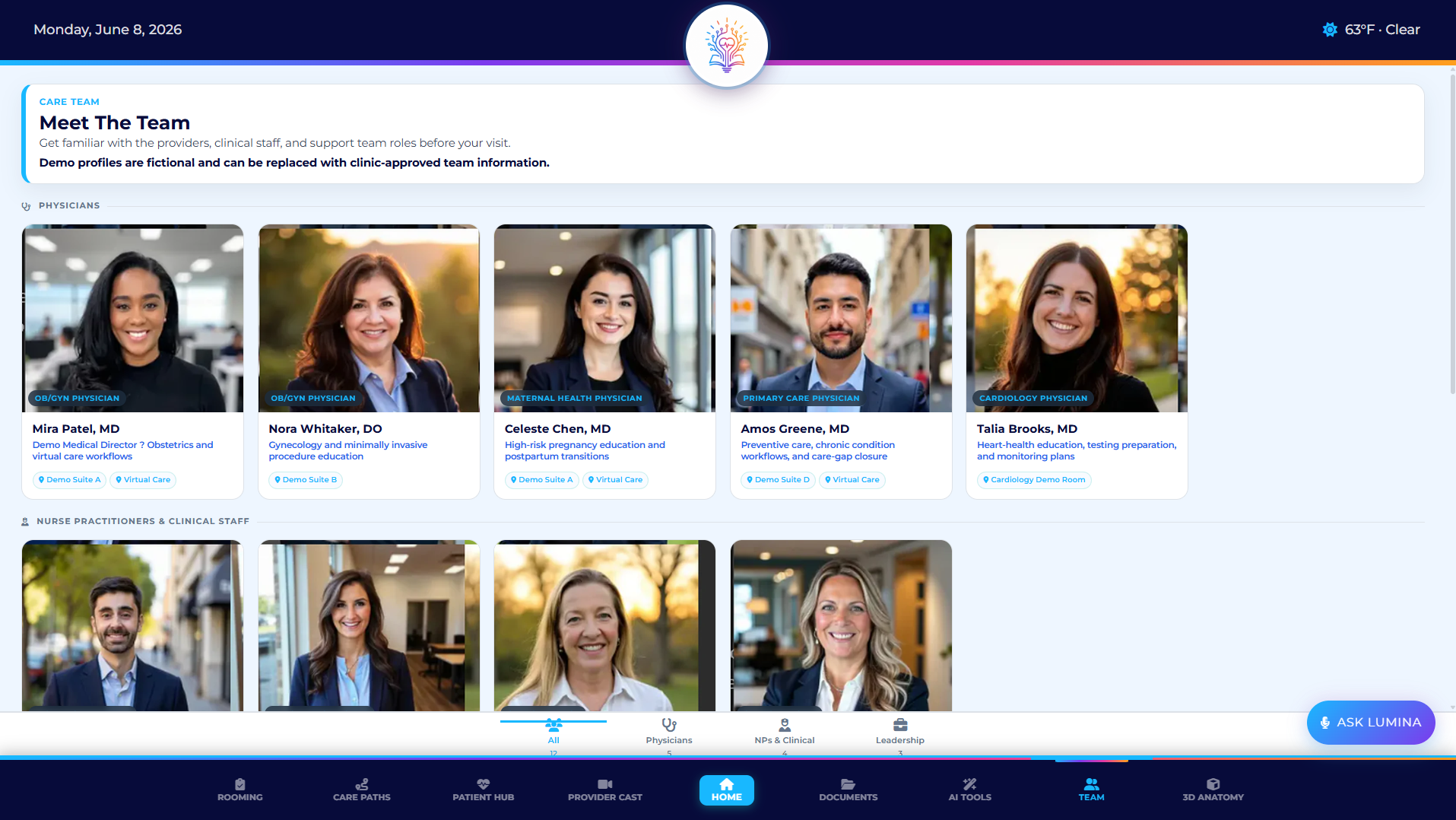
LuminaTouch care team directory screen with provider and staff profiles
Care team content Introduce providers, staff roles, and clinic-specific information before and during the visit.
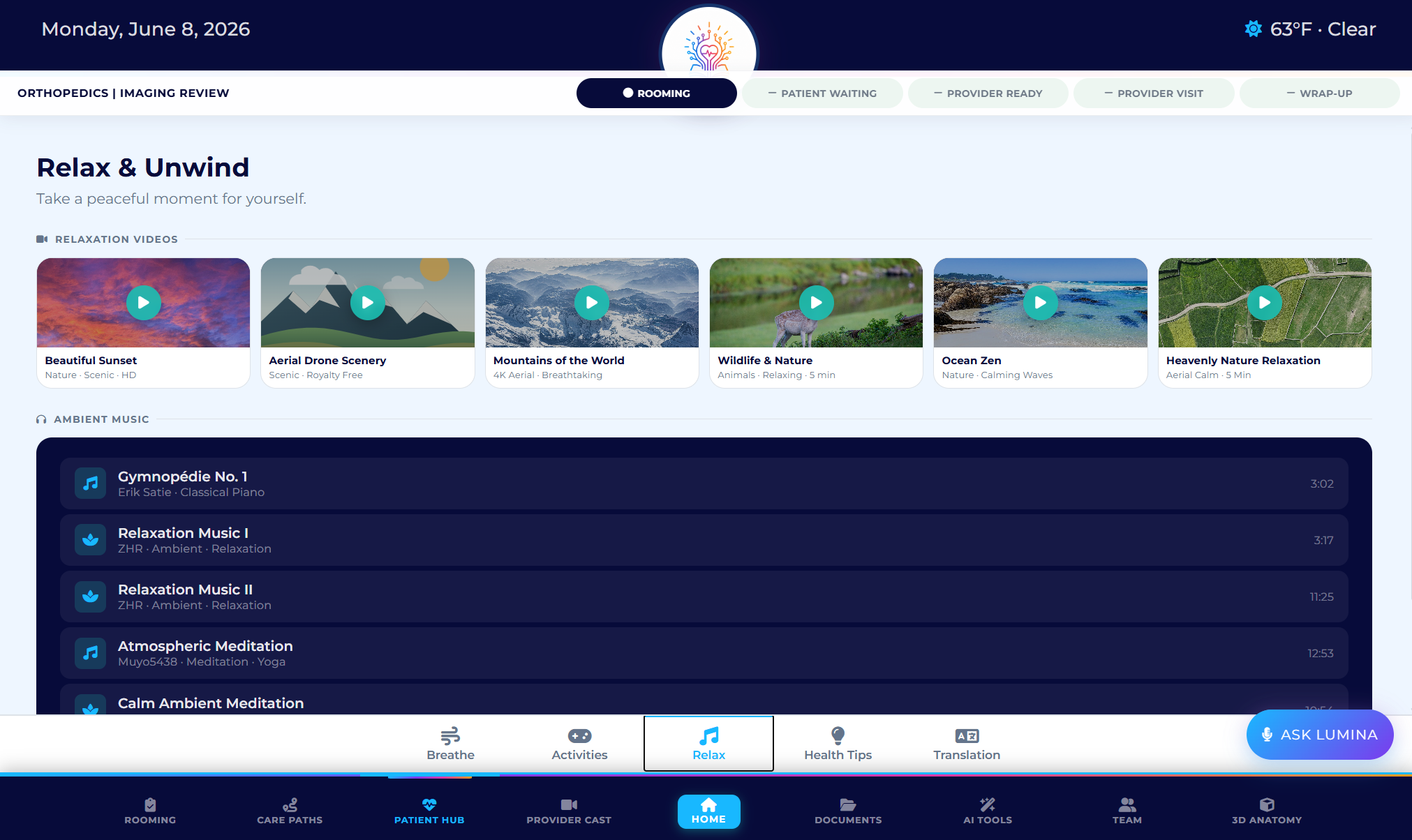
LuminaTouch patient hub relaxation screen with videos and ambient music
Patient hub Support waiting moments with relaxation, education, translation, health tips, and patient-friendly resources.

What the demo shows

A clinic can launch care paths, documents, provider cast, AI-ready tools, 3D anatomy, pathology visuals, team content, relaxation, and room support from one patient-facing screen.

Why clinical visualization matters

3D anatomy, pathology, animation, and video can help providers explain diagnoses, procedures, treatment options, and recovery expectations in a way patients can see and revisit.

Why it matters

Clinic teams need to see that LuminaTouch is not generic signage. It is a workflow-aware room experience for patient understanding, provider explanation, and clinic-owned control.

Where to start

The strongest first pilots are education-heavy rooms, consultation rooms, aesthetic practices, orthopedics, dermatology, plastic surgery, med spas, and multi-location specialty groups.

Frequently asked questions

Can I see a specialty-specific demo?

Yes. LuminaTouch can be framed around plastic surgery, med spa, dermatology, orthopedics, OB/GYN, dental, cardiology, or another specialty workflow.

Is this meant to replace the EHR?

No. LuminaTouch is the room experience layer for patient education, workflow, documents, visual explanation, and room operations. The EHR remains the clinical system of record.